Hello everyone,
A bit of a technical deep dive today ! I am a big fan of using Microsoft Endpoint Manager’s Configuration Baselines.
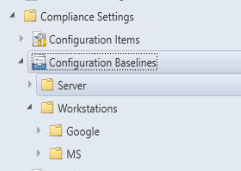
Basically it’s a desired state for your clients that you define and depending on the technical options you can remediate if the state is incompliant.
This could be for example : checking if a specific software is installed , verifying if a registry key is applied or using a custom powershell script that checks whatever you want. Execution can be system or user based.
Now we are currently using this system for configuration settings and whitelisting of addons for Google Chrome browser.
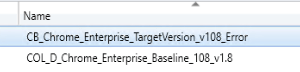
And we ran into the following issue when we deployed a new version of our baseline :
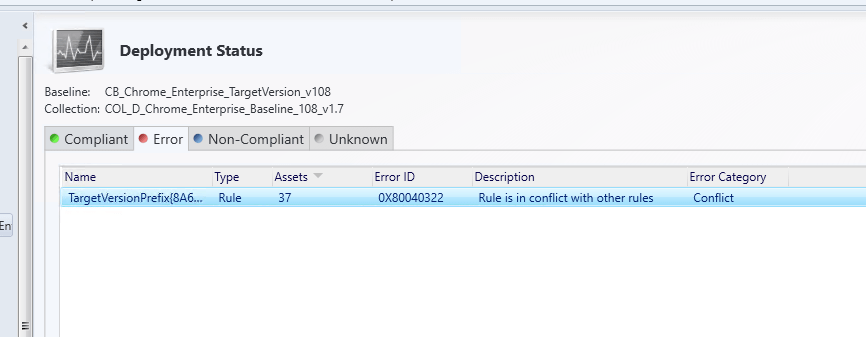
Most of our clients report that the rule is in conflict … with the previous version of the baseline ( which is of course no longer applied ).
Because of circumstances we cannot fall back to a Microsoft support call for this issue so we had to find a solution ourselves.
There is little documentation available about the exact steps that are performed by the configuration management system in MECM but the following presentation is very helpful : ConfigMgr Configuration Items Dissected – ppt download (slideplayer.com)
So after some troubleshooting we came up with the following “cached” items from the previous baseline that needed to be removed on the clients.
In order to find the old config item, open it in the MECM console and look for the details of the object. You’ll find a some reference like this ( prefix depends on the type of object ) : %OperatingSystem_2472%
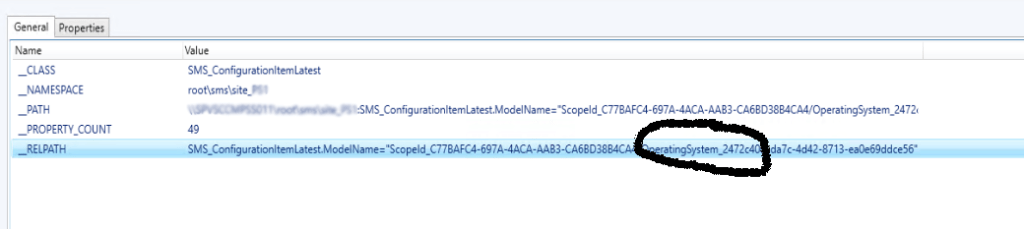
Then you need to remove the reference to this object in the following wmi namespace : Namespace Root\Microsoft\PolicyPlatform\Documents\Local
So in this case we could have created a package or even an application but we decided to use the built-in scripting directly on the collection for quick resolution.
It will remove the faulty config item and baseline from the policyplatform and clear the policies. After some time the client refreshes the policy and all is working again.
The following script is used.:
$StrFilename = "C:\Users\Public\Clean_DCM_Rules.log"
New-Item $StrFilename -ItemType File -Force

$StrDate = Get-Date -Format 'ddMMyy'
"Date:"+$Strdate >> $StrFilename

$ConfigItems = "'%OperatingSystem_2472%'","'%Baseline_62E7%'"
Foreach ( $ConfigItem in $ConfigItems )
{
Get-WmiObject -Class PolicyPlatform_Policy -Namespace Root\Microsoft\PolicyPlatform\Documents\Local -filter "Name like $ConfigItem" | Remove-WmiObject
"Removing $ConfigItem in WMIClass PolicyPlatform_Policy in Namespace Root\Microsoft\PolicyPlatform\Documents\Local" >> $StrFilename
}
"Removing WMIClass CCM_DCMCIAssignment in Namespace Root\Ccm\Policy\Machine\Actualconfig" >> $StrFilename
Get-WmiObject -Class CCM_DCMCIAssignment -Namespace Root\Ccm\Policy\Machine\Actualconfig | Remove-WmiObject
"Removing WMIClass CCM_CIVersionInfo in Namespace Root\Ccm\Policy\Machine\Actualconfig" >> $StrFilename
Get-WmiObject -Class CCM_CIVersionInfo -Namespace Root\Ccm\Policy\Machine\Actualconfig | Remove-WmiObject
Here it is , hope it helps if you’re ever in this situation.
 The-league