
Hello,
Today I want to talk about a more technical component : Azure scripting.
At a certain point in time you’ll need to perform some scripted actions in M365/Azure services.
In the “old” days it was easy , you created a service account and ran a scheduled script on a scripting or orchestrator server component. The service account had the required rights and it was relatively safe. You needed access to network infrastructure and the virtual server box if you had malicious intentions.
Nowadays you are no longer limited to the on-prem environment, the connection to the cloud service with your service account can occur anywhere. Your attack surface just got global.
So you need a well-designed secure system for setting up this scripting.
In order to be future proof you’ll need to use the graph API for connection to the cloud services.
There is a good article on Microsoft covering the basics here : Build PowerShell scripts with Microsoft Graph – Microsoft Graph | Microsoft Learn
In short you register an enterprise application , define a delegation model and apply the required permissions.
Now in this case we want to run an unattended script so we don’t use the delegated model but the app-only model.
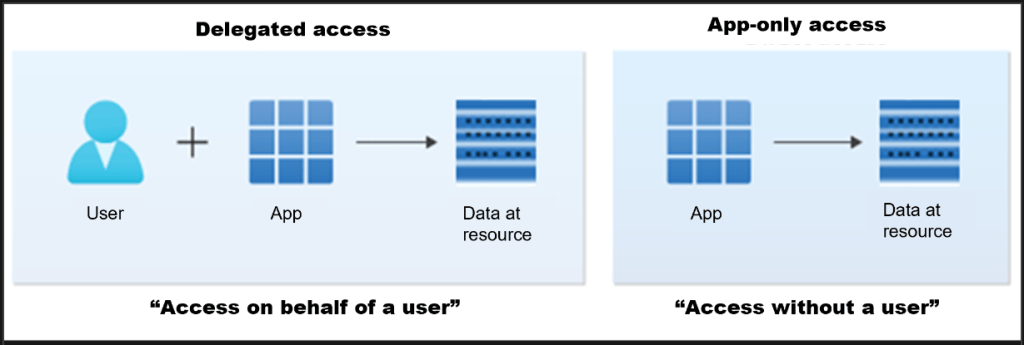
The options are clearly explained here Using Microsoft Graph PowerShell authentication commands | Microsoft Learn
This means that we need the following items to be able to create a connection to graph api :
- the tenant ID
- application id
- certificate ( private key )
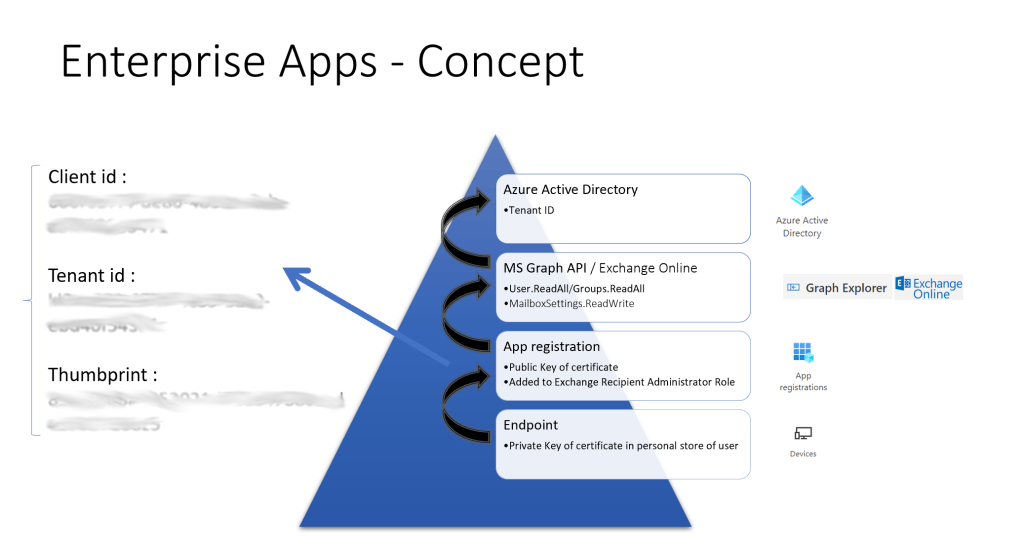
You import the private key in the personal user certificate store of the account that will be used to create the connection.
After registration of the enterprise app in Azure you add the public key of the certificate.
You grant the required permissions on graph api or additional components ( for example exchange online ) to your enterprise application.
You can protect the export options of your private key but we wanted to secure the setup a bit more so we added the recently released conditional access policy for service identities.
The functionality and required license is described here : Azure Active Directory Conditional Access for workload identities – Microsoft Entra | Microsoft Learn
This way you can limit the connection to a specific trusted IP range defined as trusted location in your conditional access.
The following screenshot shows the conditional access policy details :
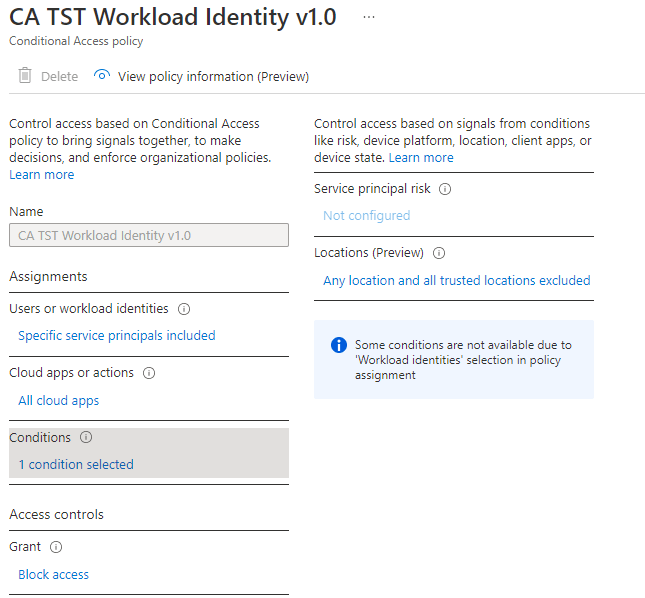
So the connection can only be made from an on-premise location.
Hope it helps !
 The-league