
Hi all,
Perspective means a way of looking at things , a point of view. Having a clear perspective is important in all aspects of life.
From time to time I find it useful to take step back , and look at how things are going from a different angle.
If you like what you see you can continue , if you don’t then you can adjust the course but you need to take the step back or you’ll miss it.
The same applies to changes during projects.
I’ll take an example , I was recently involved in a rather complex onedrive migration. There were lots of components involved and even more things could go wrong.
This post will not focus on the technical aspect of the migration itself ( I am saving that for another post : ) but from a helicopter view this was required:
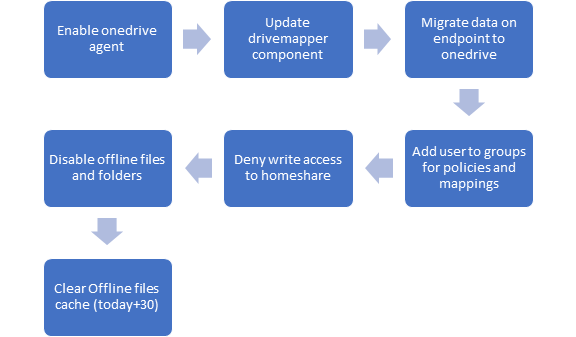
So we discussed requirements , assessed as-is and defined to-be. Then setup some scripts , added some policies and deployed some pilot groups.
We did a follow up based on return codes of the script where we had different exit codes for most things that could go wrong, everybody happy !
Perspective from servicedesk : We see that sometimes calls are created after a succesfull migration, apparently sometimes things are not as expected. How can we identify and solve these issues ?
So we translated the technical to-be state into a desired configuration baseline in Microsoft Endpoint Manager. This means that we can check several settings on users that have already been migrated , for example we check if the correct folder redirection is applied , if the required mappings are available , if the onedrive executable is running etc.
The result is shown here:
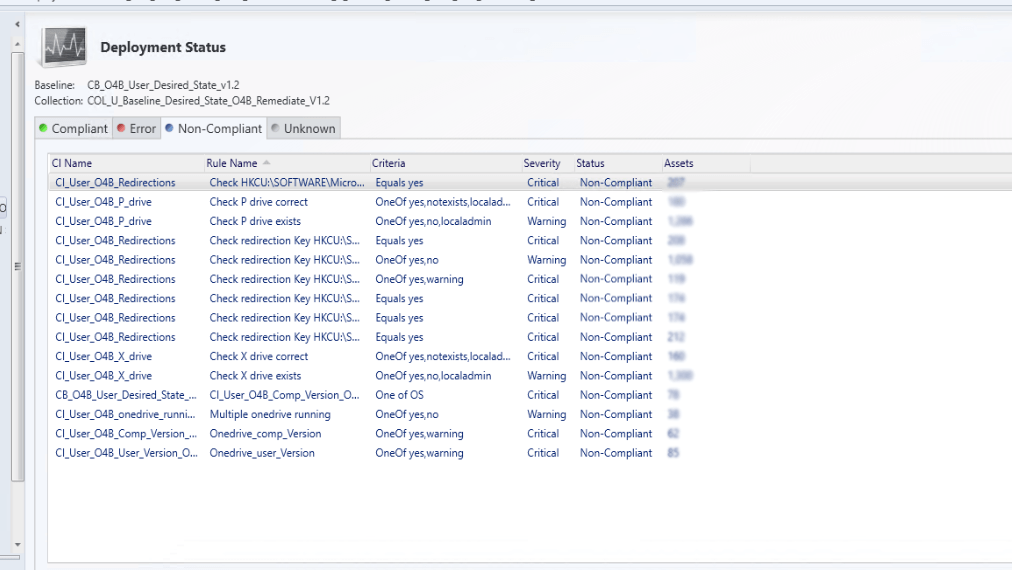
Now we decided to use this tool only for monitoring , not for correcting settings if they are wrong. We still rely on our main technology ( group policies and preferences for now ) to set the correct config, we don’t want to have 2 different technologies setting identical configurations.
But it does provide an insight , some devices required more than 1 reboot to get the redirections right , some users on vpn did not get the modified drivemappings , some users had multiple instances of onedrive running etc so it gave us the ability to define corrective actions.
Perspective PMO : Can we get a one-pager view of the status of the deployment ?
Perspective Backend team : How do we know which servers are ready for decommissioning ?
Okay we have a report that indicates the number of users and status of the deployment but that’s not really PMO material, and we have no report with a link between the servers hosting the homeshares and the migrated users. So we created a powerbi report to combine the 2 demands.
The result is shown here :
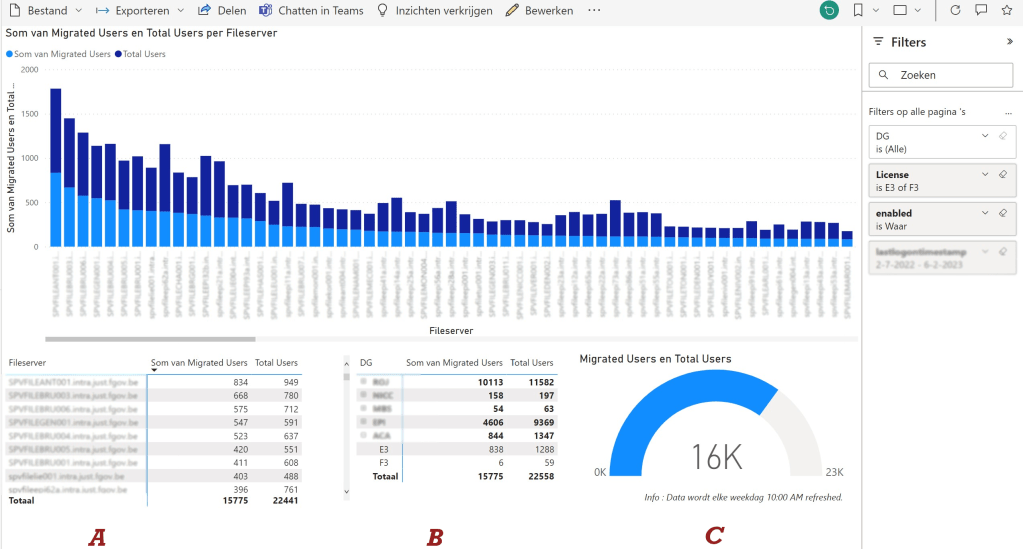
We have an overview of active users ( section C ) who have a license assigned versus the total number of migrated users, filtered on lastlogondate so that’s perfect for project managers. We can filter on department ( section B ) so specific communication can be sent and each of the totals can be converted to detailed user info directly on the report.
We also have an overview of the different file servers with the total number of homefolders ( section A ) and the number of migrated users , perfect for the wintel server team so they can phase out obsolete file servers.
Easy to use , dynamic report with filtering options.
Perspective Community Manager : We’re moving along with the deployment but what’s the actual adoption of the onedrive. How is it really used ?
Alright , another perspective but here we can use an out-of-the-box solution. Link : About Microsoft 365 usage analytics – Microsoft 365 admin | Microsoft Learn
The report provides insights on adoption of several M365 components including Onedrive. This can be combined with the default usage reports in M365 reporting.
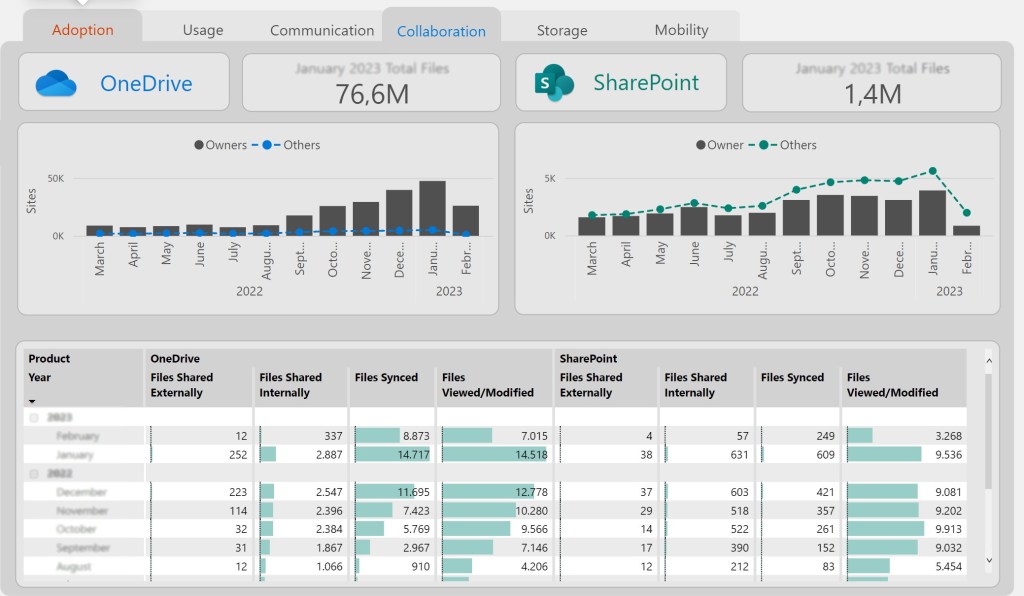
So here it is , one case with 3 different points of view. The toolsets and the data is all available, you can use it to drive your change forward.
Hope you enjoy it !
 The-league